projects / a project
library · 2026
wristkit
Copy-paste React components that show Apple Health data on any Next.js project, backed by your own Supabase.
Overview
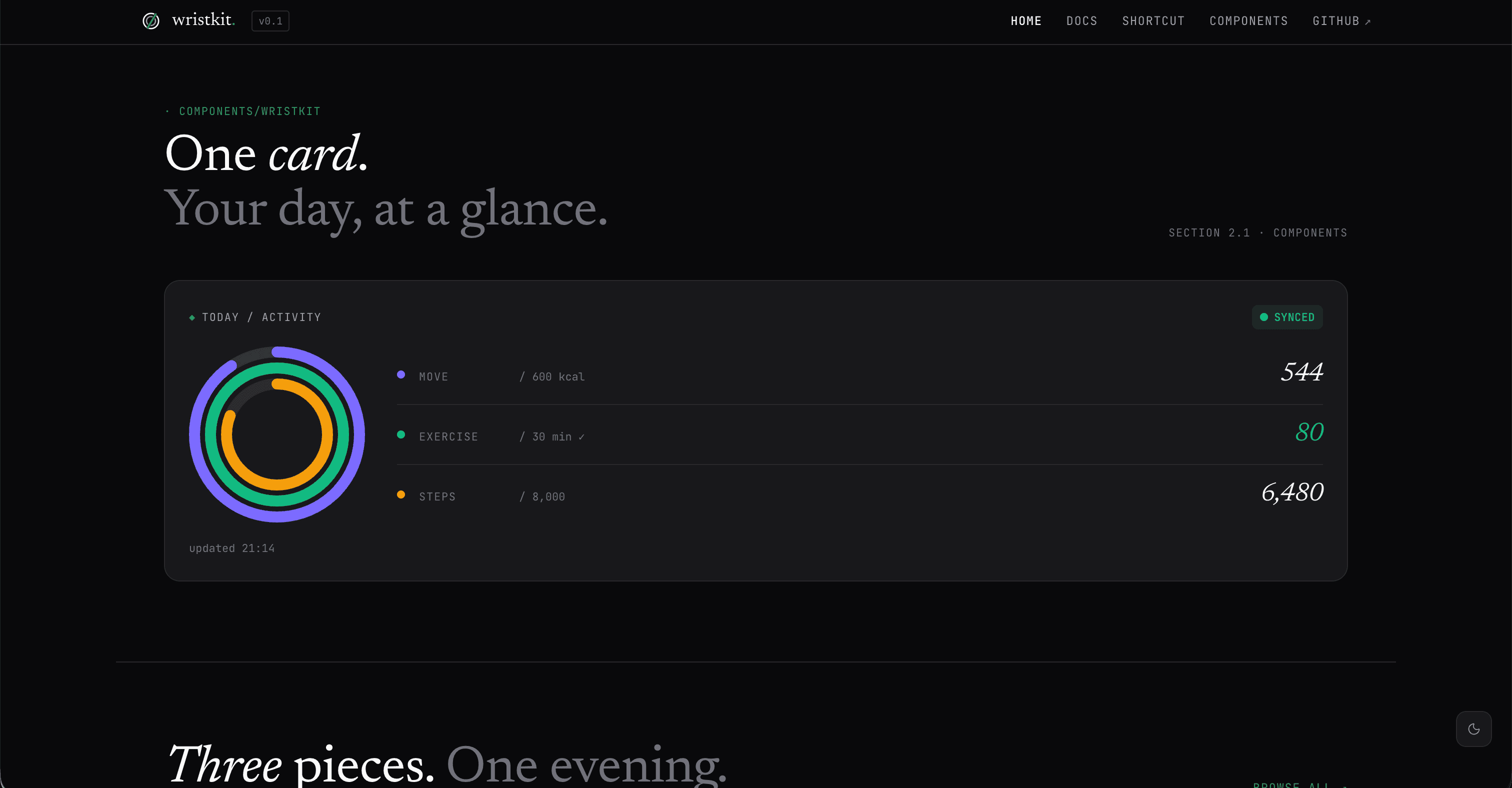
wristkit is a set of copy-paste React components for showing Apple Health data on any Next.js project. You bring your own Supabase, so your data goes straight from your iPhone to your own database. I never see it, store it, or have any access to it. No analytics, no server side logging, no third party cloud.
What it does
- Copy the component files into your project
- Run a SQL migration in Supabase
- Import the iOS Shortcut on your iPhone, set your URL and API key, done
- Your Apple Watch rings show up on your site, live, from your own database
Quick start
-
Install the peer dependencies
pnpm add drizzle-orm postgres zod -
Add your environment variables
WRISTKIT_DATABASE_URL=postgresql://postgres.PROJECT_REF:PASSWORD@aws-0-REGION.pooler.supabase.com:6543/postgres
WRISTKIT_API_KEY=replace-with-32-random-bytes
Use the Transaction pooler URL from Supabase (Project Settings, Database, Connect). The direct connection does not work on Vercel.
Generate an API key with:
node -e 'console.log(require("crypto").randomBytes(32).toString("base64url"))' -
Run the SQL migration in Supabase
Go to the installation docs and copy the two SQL blocks into the Supabase SQL Editor.
-
Copy the component files
Go to the installation docs and copy the route handler and component files into your project.
-
Use it in a Server Component
import { TodayActivityCard, loadTodayActivity } from "@/components/wristkit/today-activity-card" export default async function Dashboard() { const state = await loadTodayActivity() return <TodayActivityCard state={state} /> } -
Set up the iOS Shortcut
Download it from the shortcut page, open it in the Shortcuts app, and fill in your site URL and API key.
Requirements
- Next.js 15+ (App Router)
- A Supabase project (free tier works)
- Node.js 20+
Documentation
Full docs at wristkit-web.vercel.app/docs
- Installation
- iOS Shortcut setup
- TodayActivityCard
- Component states
Stack
- Next.js (App Router)
- TypeScript
- Drizzle ORM
- Zod
- Supabase (bring your own)
- Tailwind CSS
Development
pnpm lint
pnpm typecheck
pnpm test
pnpm build
License
MIT.
Links
https://wristkit-web.vercel.app
https://github.com/imnotannamaria/wristkit
Contact
If you’d like to chat, email me at anna.maria.dev.br@gmail.com.