projects / a project
library · 2026
entrepta
A dark-first design system you copy into your repo. Mono for UI, serif italic for titles, and no mark of its own.
Overview
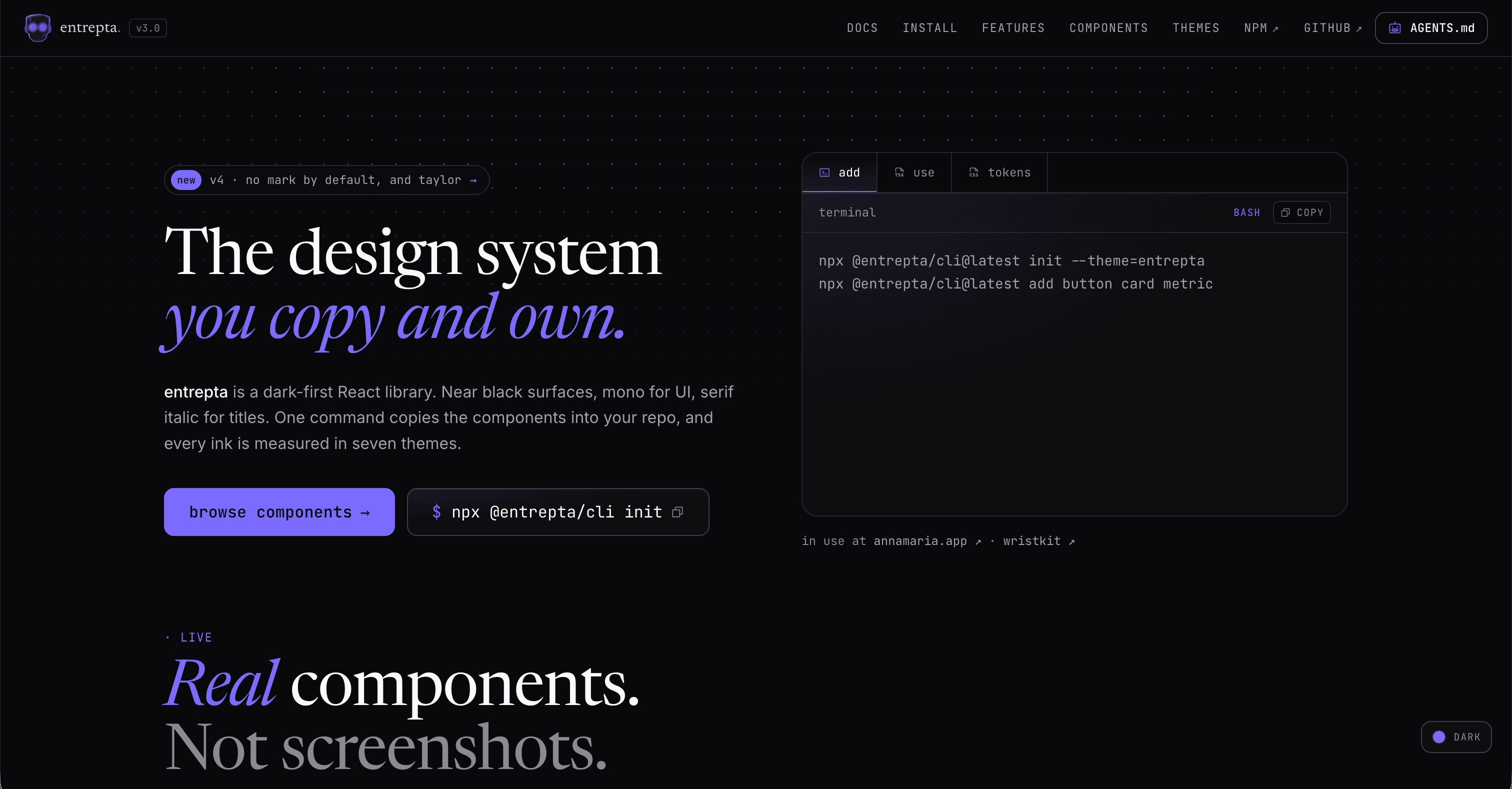
entrepta is a dark-first design system. Near black surfaces, mono for UI, serif italic for titles.
It started out looking like a code editor: tabs with a title bar, a status bar, a ◆ in front of every label and a // before every error. In v4 I took all of that out. It was the look of my site, not something every project should get by default. Now the library has no mark of its own, and if you want the ◆ or the editor frame back, you pass them in.
Components are copied into your repo as source, in the shadcn model. No SDK, no runtime. You own the code.
npx @entrepta/cli@latest init
npx @entrepta/cli@latest add button card command-palette
What you get
62 components across 8 sections, in React 19, Tailwind v4 and CSS variables.
| Section | What's in it |
|---|---|
| Primitives | Button, Badge, Avatar, Card, Dialog, Sheet, Popover, Accordion, Tabs, Stepper and more |
| Forms | Input, Field, Select, Combobox, SegmentedControl, MoneyInput, DatePicker and more |
| Layout | TopNav, Sidebar, MobileNav, BentoGrid, ThemeSwitcher, ModeToggle |
| Content | CodeBlock |
| Data | Metric, Delta, Sparkline, Chart, BarList, Table, DataTable, FilterBuilder and more |
| Chat | PromptInput, ChatThread |
| Feedback | Alert, EmptyState, Toast, Skeleton, CommandPalette |
| Motion | Reveal, TypeIn, RollingNumber, ArrowLink |
Seven theme presets: entrepta, blossom, marmalade, julia, ivy, bosco and taylor, the newest one, which has no hue at all: white on dark, black on light. Pick one, or install all seven and switch at runtime. Every text color clears WCAG AA in every theme and mode, and a test measures it on every change.
Built for coding agents
entrepta is meant to be installed and used by Claude Code, Cursor or Codex as much as by people.
- An AGENTS.md for your project. The AGENTS.md button on the site builds one: pick the framework, theme and components, and it says how to install, where things live, which token goes where and how each component is used.
- Every docs page in Markdown. Add
.mdto any docs URL, such as/docs/components/button.md. /llms.txtindexes every page, and/llms-full.txtis the whole site in one file.
Install
npx @entrepta/cli@latest init --theme=ivy

# all seven themes, switchable at runtime
npx @entrepta/cli@latest init --theme=ivy --themes=all

npx @entrepta/cli@latest add button card field
init writes the tokens, the cn helper and entrepta.json. add copies each component with everything it imports and installs its npm packages. It works in Next.js (App or Pages Router) and Vite, and never overwrites a file without --overwrite.
Every component page in the docs also has a Manual tab with its dependencies and the source, imports already rewritten.
Use it
import { Button } from "@/components/entrepta/button"
import { Card, CardHeader, CardLabel, CardTitle } from "@/components/entrepta/card"

export function Launch() {
  return (
    <Card variant="featured">
      <CardHeader>
        <CardLabel>launch</CardLabel>
      </CardHeader>
      <CardTitle>
        Ship it <em>tonight.</em>
      </CardTitle>
      <Button>deploy</Button>
    </Card>
  )
}
Built with entrepta
This site runs on it. entrepta started here, and v2 was built here first before it moved into the design system. The site is still on v3, so it keeps the editor-free look with overrides of its own for now.
Stack
React 19, Next.js 15 as the reference setup, Tailwind v4, Radix UI, CSS variables, TypeScript strict, class-variance-authority, Phosphor icons, and motion for the components that animate through JavaScript.
License
MIT.